 blog
blog
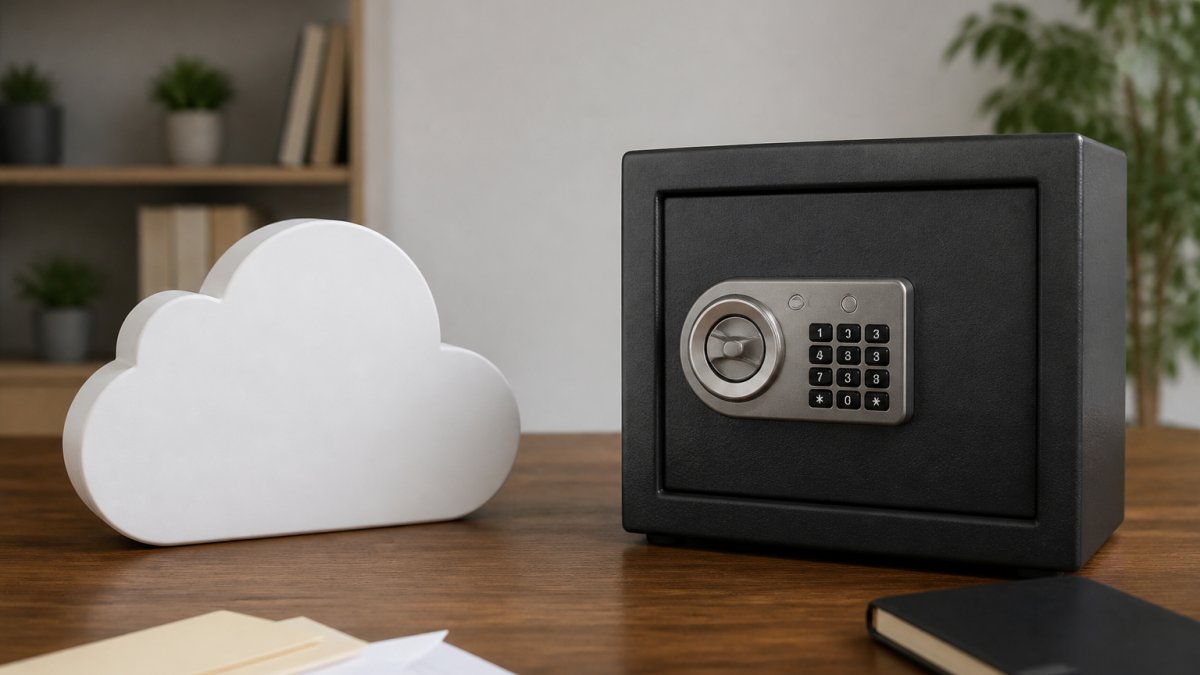
Secure Cloud Storage vs Digital Vault: Which Protects Your Documents Best
Table of Contents
- Understanding Cloud Storage and Digital Vaults
- Key Differences Between Cloud Storage and Digital Vaults
- Security and Encryption: How Each Protects Your Data
- What to Store in a Digital Vault for Maximum Protection
- Secure Digital Vault for Estate Planning and Legacy Protection
- How to Share Estate Documents with Family Securely
- Digital Legacy Planning Checklist for Your Essential Documents
- Making Your Choice: Cloud Storage or Digital Vault?
- Frequently Asked Questions
Last Updated: October 10, 2026
Understanding Cloud Storage and Digital Vaults
When you're managing important financial documents, legal records, and personal information, choosing the right storage method matters. The difference between secure cloud storage vs digital vault solutions can significantly impact how well you protect sensitive materials and organize them for future access.
Cloud storage and digital vaults serve different purposes, though they sometimes overlap. Understanding what each does, and where they excel, helps you make the right choice for your specific needs, especially as you approach or enter retirement.
What Cloud Storage Is
Cloud storage is a service that lets you save files on remote servers accessed through the internet. Popular examples include Google Drive, Dropbox, and OneDrive. These platforms synchronize files across your devices, making them accessible from anywhere with an internet connection.
The primary strength of cloud storage is convenience. You can upload documents, photos, and files, then access them from your phone, tablet, or computer. Many cloud storage services include collaboration features, allowing multiple people to view and edit files simultaneously.
Cloud storage typically uses encryption to protect data in transit and at rest, though the specific security measures vary by provider. Most mainstream cloud storage services are designed for general-purpose file management rather than specialized security for sensitive documents.
What a Digital Vault Is
A digital vault is a specialized secure storage system designed specifically for protecting sensitive and confidential documents. Unlike general-purpose cloud storage, digital vaults prioritize security, privacy, and long-term preservation of critical materials like estate documents, financial records, and legal papers.
Digital vaults typically feature stronger encryption standards, more restrictive access controls, and enhanced authentication methods. They're built with the assumption that the documents stored inside require maximum protection.
The trade-off is that digital vaults often sacrifice some convenience for security. They may not sync across all your devices as seamlessly as consumer cloud storage, and they typically don't include real-time collaboration features. But for documents you need to protect long-term and pass down to heirs, that trade-off makes sense.
Key Differences Between Cloud Storage and Digital Vaults
The distinction between these two storage types comes down to purpose, security level, and design philosophy. Cloud storage prioritizes accessibility and ease of use. Digital vaults prioritize protection and preservation.
Here's how they compare across key dimensions:
| Dimension | Cloud Storage | Digital Vault |
|---|---|---|
| Primary Purpose | File sync and collaboration | Sensitive document protection |
| Access Speed | Fast, real-time sync | Secure but may require authentication steps |
| Encryption Standard | Standard (varies by provider) | Enhanced, often zero-knowledge |
| Sharing Capabilities | Easy, real-time collaboration | Restricted, controlled access |
| Best For | Working documents, media files | Estate plans, financial records, legal docs |
| Long-term Preservation | Good | Excellent, designed for decades |
| Recovery Planning | Basic backup | Built-in legacy and emergency access |
Cloud storage is designed for active document management, the files you work with regularly. Digital vaults are designed for documents you need to protect and preserve, often for legal or family reasons.
Security and Encryption: How Each Protects Your Data
Both cloud storage and digital vaults use encryption, but the approaches differ significantly. Understanding these differences helps you assess which option truly protects your most sensitive materials.
Encryption in Transit and at Rest
Encryption in transit protects your data while it travels from your device to the server. Encryption at rest protects data stored on the provider's servers.
Most mainstream cloud storage services use standard encryption protocols like TLS for data in transit and AES-256 for data at rest. These are strong, industry-standard methods.
Digital vaults often employ zero-knowledge encryption, a more stringent approach where encryption keys are held by the user, not the provider. This means the vault provider cannot access your documents even if subpoenaed.
For estate planning documents and financial records you want to preserve for decades, zero-knowledge encryption provides stronger assurance that only authorized family members can access the materials.
Access Control and Authentication
Cloud storage typically uses basic authentication: a username and password. Some services add two-factor authentication for extra security, but once you're logged in, you can usually access all your files.
Digital vaults implement more granular access controls. You can restrict which documents specific people can view, set expiration dates on access, and require multi-factor authentication for sensitive materials. Some vaults allow you to designate emergency access contacts, people who can retrieve documents if you become incapacitated.
This distinction matters significantly for estate planning. With a digital vault, you can ensure that certain documents remain private until after your death, then automatically become accessible to your executor or heirs. Cloud storage doesn't typically offer this level of control.
What to Store in a Digital Vault for Maximum Protection
Not everything needs vault-level security. Understanding what belongs in a digital vault versus general cloud storage helps you organize efficiently and apply appropriate security where it matters most.
Store these materials in a digital vault:
- Estate planning documents (wills, trusts, powers of attorney)
- Financial account information and passwords
- Insurance policies and beneficiary designations
- Legal documents and contracts
- Medical directives and healthcare preferences
- Property deeds and titles
- Tax returns and financial records
- Birth certificates and marriage licenses
- Investment account statements and cryptocurrency keys
These documents require long-term preservation, controlled access, and protection from unauthorized viewing. They're also materials your family or executor will need to locate quickly during a stressful time.
General cloud storage works fine for:
- Working documents and drafts
- Shared family photos
- Collaborative projects
- Files you access frequently across devices
- Materials you're actively editing
The principle is simple: use the tool matched to the document's sensitivity and purpose.
Secure Digital Vault for Estate Planning and Legacy Protection
Estate planning creates a specific need for secure digital vault solutions. When you're organizing documents for your family's future, you need assurance that materials remain private during your lifetime but accessible when needed.
A quality digital vault designed for estate planning allows you to:
- Organize documents by category (financial, legal, medical, property)
- Designate who can access each document and when
- Create instructions for your executor or heirs
- Set automatic notifications or access triggers based on events
- Maintain a complete inventory of your assets and accounts
- Store important contact information for advisors and service providers
At New Insight Financial, we recognize that estate planning requires more than just storing documents, it requires organizing them in a way your family can actually use them. That's why we provide complimentary access to the Generational Vault®, a secure digital vault specifically designed to help you organize financial and legal documents for long-term family legacy planning.
The Generational Vault® goes beyond simple file storage. It helps you create a comprehensive record of your financial life, making it easier for your family to understand your wishes and execute your estate plan efficiently.
How to Share Estate Documents with Family Securely
Sharing sensitive documents with family members requires balancing accessibility with security. You want heirs and executors to have the information they need, but not before the right time or in an uncontrolled manner.

A digital vault designed for estate planning solves this problem through controlled access. Instead of emailing documents or writing passwords on paper, you can:
- Grant specific family members access to designated documents
- Set access to activate after a specific date or event (like your death)
- Require multi-factor authentication so documents can't be accessed if passwords are compromised
- Track who accessed which documents and when
- Revoke access at any time if circumstances change
- Include instructions alongside documents explaining their purpose
This approach keeps documents secure during your lifetime while ensuring your family can locate and understand them when needed.
For couples approaching retirement, this becomes especially important. Both spouses should have access to key documents, but you may want to restrict access to certain materials until both have passed away or one becomes incapacitated.
Digital Legacy Planning Checklist for Your Essential Documents
Creating a complete record of your financial and legal life requires systematic organization. Use this checklist to ensure you've captured everything your family will need:
Financial Documents:
- Bank account statements and routing numbers
- Investment account information and access credentials
- Retirement account beneficiary designations
- Pension or annuity documentation
- Social Security information and benefit estimates
- Property tax records and home valuation estimates
- Vehicle titles and loan documents
- Credit card account information
Legal and Estate Documents:
- Will and any codicils or amendments
- Trust documents (revocable living trust, irrevocable trusts)
- Power of attorney for financial matters
- Healthcare power of attorney
- Living will or advance healthcare directive
- HIPAA authorization forms
- Property deeds and mortgage documents
- Business ownership documents
Insurance and Benefits:
- Life insurance policies and beneficiary information
- Homeowners and auto insurance policies
- Long-term care insurance documentation
- Medicare enrollment information and plan details
- Supplemental insurance policies
- Disability insurance documentation
Personal Information:
- Birth certificate and marriage license copies
- Passport and identification documents
- Social Security card information
- Military service records if applicable
- Professional licenses or certifications
Contact Information:
- Financial advisor and contact details
- Tax preparer information
- Attorney contact information
- Insurance agent details
- Healthcare providers
- Executor and trustee contact information
Storing these materials in a secure digital vault ensures they're organized, protected, and accessible to the right people at the right time. Rather than scattered across filing cabinets, email accounts, and safe deposit boxes, everything lives in one secure location your family can access when needed.
Making Your Choice: Cloud Storage or Digital Vault?
The decision between cloud storage and a digital vault depends on what you're storing and why. For most people, the answer isn't either-or, it's both.
Use cloud storage for files you access regularly, collaborate on, and sync across devices. Use a digital vault for documents that require protection, long-term preservation, and controlled family access.
If you're organizing your financial life for retirement and legacy planning, a digital vault becomes essential. The documents you're protecting, estate plans, financial records, legal papers, deserve the enhanced security and access controls that specialized vaults provide.
As you approach retirement, organizing your financial and legal documents isn't just about protection, it's about giving your family clarity and reducing confusion during difficult times. Our approach ensures your retirement journey is supported by reliable strategies and secure tools designed specifically for your family's long-term needs. Get started today and take control of your financial legacy.
Frequently Asked Questions
What is the difference between secure cloud storage and a digital vault?
Cloud storage like Google Drive or Dropbox prioritizes file synchronization, collaboration, and remote access across devices. Digital vaults are purpose-built for sensitive documents, emphasizing encryption at rest, zero-knowledge architecture, and restricted access. Cloud storage offers flexibility and ease of use; digital vaults offer stronger privacy controls and are designed specifically to prevent provider access to your files. Choose based on whether you need collaboration tools or maximum confidentiality.
What documents should you keep in a digital vault?
Store identity documents (birth certificates, passports, Social Security cards), financial records (bank statements, investment accounts, insurance policies), legal documents (wills, powers of attorney, trusts), medical records, property deeds, and tax returns in a digital vault. These sensitive files benefit from encryption and restricted access. Less sensitive files like photos or work projects are better suited to cloud storage, where sharing and syncing are easier.
Can family members access a digital vault after someone dies?
Yes, but only if you set up emergency access or designate beneficiaries before your death. Some digital vaults allow you to name a trusted contact or family member who can access your documents with proper verification after you pass away. Without these provisions, your vault may become inaccessible to heirs. Plan ahead by documenting access instructions, passwords, and beneficiary designations with your estate planning documents.
Is a digital vault safer than cloud storage for important financial and legal documents?
Digital vaults typically offer stronger security for sensitive documents because they use end-to-end encryption, zero-knowledge architecture, and limited access controls. Cloud storage services may encrypt your files but retain the ability to access them if served with legal orders or breached. For identity documents, financial records, and legal files, a digital vault's design specifically protects confidentiality. However, both require strong passwords and multi-factor authentication to be truly secure.