 how-to
Financial Document Organization Tips for Retirement
Table of Contents
- Why Financial Document Organization Matters in Retirement
- Gather and Centralize Your Financial Records
- How Long to Keep Tax Records and Other Financial Documents
- Building a Digital Filing System for Personal Finance
- Create a Financial Document Retention Schedule
- Organize Financial Documents for Estate Planning
- Secure Destruction Methods and Document Disposal
- Maintain Consistency and Build Your Routine
- Frequently Asked Questions
Last Updated: August 10, 2026
Why Financial Document Organization Matters in Retirement
Financial document organization is critical before retirement. Your records become the foundation for proving income to Social Security, managing withdrawals, handling Medicare claims, and passing assets to heirs without confusion.
Most people have financial records scattered across multiple locations: bank statements in folders, tax returns in drawers, investment statements in email, insurance policies in filing cabinets. This chaos creates real problems when you need to act fast, during market downturns or medical emergencies, and leaves your family scrambling if something happens to you. At New Insight Financial, we've seen couples who organize documents before retirement transition more smoothly into their distribution years and sleep better knowing their heirs have a clear roadmap.
This guide walks you through building a financial document organization system for retirement: gathering everything in one place, determining what to keep and for how long, setting up a secure digital filing system, and creating an emergency binder your family can use when they need it most.
Gather and Centralize Your Financial Records
Start by creating a master account list. Write down every financial account you and your spouse own: checking accounts, savings accounts, money market accounts, CDs, brokerage accounts, IRAs, 401(k)s, pensions, annuities, insurance policies, mortgages, loans, credit cards, and business interests. Include the institution name, account number, approximate balance, and whose name is on the account.

Next, locate all your documents in one place. Go through your home and collect every piece of paper related to your finances: tax returns, bank statements, investment statements, mortgage documents, loan papers, insurance policies, property deeds, vehicle titles, and legal documents like wills or powers of attorney. Create a temporary holding area where everything goes. This reveals duplicates and forgotten accounts while giving you a complete picture of your current financial life.
How Long to Keep Tax Records and Other Financial Documents
Tax Documents and IRS Requirements
The IRS generally recommends keeping tax records for at least three years from the date you filed. However, if you underreported income by more than 25 percent, the IRS can go back six years. Keep your actual tax return permanently, but supporting documents like receipts and invoices can be discarded after seven years.
Bank Statements, Investment Accounts, and Loan Documents
Bank statements can be discarded after one year unless they contain evidence of major transactions or deductions. Keep investment account statements showing your original cost basis for as long as you own the investment, plus three years after you sell it, these are critical for calculating capital gains. Loan documents, including mortgages, should be kept for the life of the loan plus seven years. After paying off a mortgage, keep the final payoff statement permanently as proof you own the property free and clear.
Estate Planning and Legal Documents
Wills, trusts, powers of attorney, and healthcare directives should be kept permanently. Store originals in a safe deposit box, home safe, or with your attorney. Property deeds should be kept permanently. Vehicle titles should be kept as long as you own the vehicle, then for seven years after you sell it. Insurance policies should be kept as long as they're active, then for seven years after they lapse.
Building a Digital Filing System for Personal Finance
A digital filing system gives you instant access to documents, lets you share with your spouse or advisor, and creates a backup if physical documents are damaged.
Choosing Cloud Storage and Backup Solutions
The foundation of a digital filing system is cloud storage. General-purpose services like Google Drive, Dropbox, or OneDrive work well if you're comfortable organizing files yourself. They're affordable, reliable, and allow sharing with your spouse or advisor. New Insight Financial offers Generational Vault®, a secure online storage solution specifically built for retirement planning documents. It's designed to centralize your financial records, insurance policies, and legal documents in one place with easy access for you and your designated heirs. Whatever you choose, ensure it has strong encryption, two-factor authentication, and a clear plan for what happens to your documents if you pass away.
Start by uploading everything you've gathered into a single folder, even if it's disorganized. Once it's all there, you can organize it properly.
File Naming Conventions and Organization Structure
Use a consistent naming convention: Institution_AccountType_Date or Institution_DocumentType_Date. For example: "Vanguard_IRA_2026_Q2.pdf" or "Fidelity_TaxDocuments_2025_1040.pdf."
Organize your digital filing system in folders by category: Tax Documents, Bank Accounts, Investment Accounts, Insurance, Legal Documents, Loan Documents, and Retirement Accounts. Within each category, create subfolders if needed. Use consistent date formats (YYYY_MM_DD) in filenames so they sort chronologically. When you update a document, keep the old one in a "Historical" subfolder so you have a complete record.
Data Security and Protecting Sensitive Information
Don't store Social Security numbers, full account numbers, or passwords in your digital files. Store only the last four digits of account numbers. Use a dedicated password manager like 1Password, Dashlane, or Bitwarden for passwords and security questions.
Enable two-factor authentication on your cloud storage account and every financial account. If you're scanning documents at home, use a secure scanner app on your phone and delete the original photo after uploading. Shred physical documents before discarding them. When sharing documents with a spouse or advisor, use folder sharing with specific permissions rather than emailing sensitive files.
Create a Financial Document Retention Schedule
Setting Up an Audit Trail and Review Process
Schedule a quarterly document review. Set calendar reminders for the same week each quarter. During this review, download new statements from your financial institutions and add them to your digital filing system. Delete old statements you no longer need. Check for duplicate accounts or forgotten policies. Update your master account list if anything has changed.
Create an audit trail by dating your reviews. Add a note: "Q3 2026 Review: Consolidated two old brokerage accounts, confirmed all account balances, no changes to beneficiaries." This gives you and your heirs a record of when documents were last verified.
Scheduling Regular Decluttering and Archiving
As you review quarterly, move bank statements older than one year into an "Archive" folder. After seven years, you can delete most bank and investment statements unless they support a tax return you're keeping. Before deleting anything, ensure you have a backup. Back up your entire digital filing system to an external hard drive at least once a year.
For physical documents, set an annual shredding day. Once you've scanned and uploaded a document, shred the paper version. Use a cross-cut shredder, not a strip shredder, which isn't secure enough.
Organize Financial Documents for Estate Planning
Your financial document organization system only matters if your heirs can actually use it.
Create an Emergency Binder for Your Heirs
An emergency binder is a physical document your family can grab immediately if something happens to you. It's a roadmap to your financial life, not a complete financial record.
Your emergency binder should include: a list of all financial accounts with institution names, account numbers (or last four digits), and contact information; a list of all insurance policies with policy numbers and contact information; the location of your safe deposit box and key; usernames and security questions for important accounts (but not passwords); names and contact information for your executor, attorney, accountant, and financial advisor; your will and trust documents; healthcare directives and powers of attorney; and a letter of intent explaining your wishes.
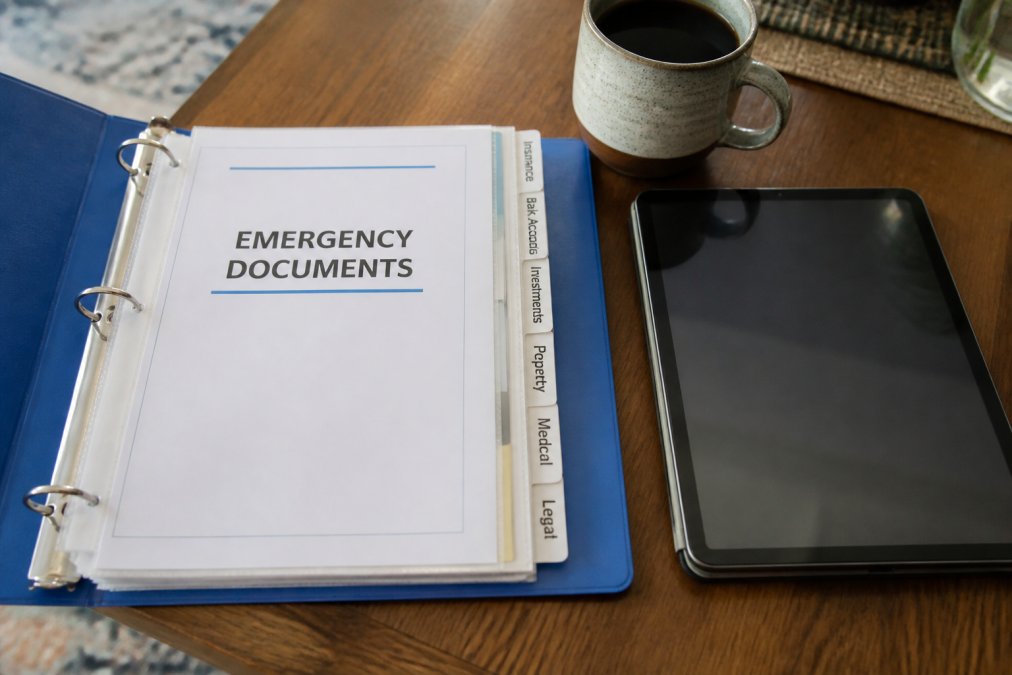
Store the emergency binder in a place your family knows about, a home safe is ideal. Tell your executor and spouse exactly where it is. Update it annually as your life changes.
Document Your Asset Inventory and Account Information
Create a detailed asset inventory in your digital filing system listing every asset you own: real estate, vehicles, investment accounts, retirement accounts, insurance policies, business interests, and collectibles. Include current value, acquisition date, and relevant documentation. For each major asset, store supporting documents organized by asset, not by document type.
Create a summary document listing all accounts and assets with current balances as of your most recent review date. Make it clear, simple, and complete.
Secure Destruction Methods and Document Disposal
For documents with sensitive information, use a cross-cut shredder. Strip shredders aren't secure enough. Cross-cut shredders cost between 30 and 100 dollars and are worth the investment. For large volumes of documents, consider hiring a professional shredding service.
For digital documents, use your cloud storage's "permanent delete" option. For files on your computer, use a file shredding tool that overwrites file data so it can't be recovered. Never throw sensitive documents in regular trash.
Maintain Consistency and Build Your Routine
The biggest mistake people make is treating financial document organization as a one-time project. Consistency keeps the system working.
Build a quarterly routine. Set calendar reminders for the same week each quarter and spend 30 to 60 minutes downloading new statements, uploading them, deleting old documents, and updating your master account list. Make it a joint activity with your spouse if you're married. Both of you should know where things are and how the system works.
Every January, do a deeper annual review. Update your emergency binder, review your asset inventory, check for forgotten accounts, and assess whether your filing structure still makes sense. Use the same tools consistently. Share your system with your family and walk them through your digital filing system, emergency binder location, and naming conventions.
Financial document organization is one of the most practical things you can do to prepare for retirement. When your documents are organized, you have clarity on what you own and owe. You can make better financial decisions and respond quickly to problems. And critically, you give your family a clear path forward if something happens to you.
New Insight Financial specializes in helping people organize not just documents, but their entire retirement plan. We work with couples and individuals to consolidate scattered accounts, create comprehensive financial strategy, and ensure documents are secure and accessible. With tools like Generational Vault®, you get secure digital storage designed specifically for retirement planning. Get started today and transform your financial chaos into a clear, organized system you can manage with confidence.
Frequently Asked Questions
How long should I keep tax records according to the IRS?
The IRS generally recommends keeping tax returns and supporting documents for at least three years from the date you filed. However, if you underreported income by more than 25%, keep records for six years. If you claim a loss from worthless securities or bad debt deduction, keep records indefinitely. For investment documents and brokerage statements, maintain records for at least seven years to support cost basis calculations for capital gains taxes. Consult the IRS website or a tax professional for your specific situation.
What's the best way to set up a digital filing system for personal finance?
Start by choosing a secure cloud storage service that offers encryption and backup. Create a folder structure organized by category (Tax Documents, Bank Statements, Investment Accounts, Insurance, Legal Documents). Use consistent file naming conventions like YYYY-MM-DD_DocumentType_Description.pdf. Store sensitive information separately with password protection. For retirement planning, maintain a master spreadsheet listing all account numbers, institutions, and login credentials (stored securely, never in plain text). Regularly audit your digital files quarterly to ensure accuracy and remove outdated documents.
How do I organize financial documents for my heirs or estate planning?
Create an emergency binder containing a list of all financial accounts, insurance policies, property titles, and legal documents with contact information for each institution. Include your will, power of attorney, and healthcare directives. Prepare a comprehensive asset inventory documenting bank accounts, investment accounts, real estate, vehicles, and valuables. Store this binder in a secure location and inform your heirs or executor where to find it. Consider using secure digital storage services that allow you to grant access to designated family members or an executor after your passing.
Should I keep financial records in digital or paper format?
A hybrid approach works best for most people. Store originals of critical documents like titles, deeds, and signed legal documents in physical form in a safe deposit box or fireproof safe. Maintain digital copies with cloud backup for accessibility and redundancy. Keep recent bank statements and receipts digitally, but retain paper copies of reconciled statements for your audit trail. Digital storage provides easier access and organization, while physical copies of original documents offer security and legal validity. Ensure any digital storage includes encryption and multi-factor authentication to protect sensitive information.